
How to Prepare Your Everyday Technology for Easy Travel
Heading out on a trip should feel refreshing, but unexpected friction often arises from the small gadgets meant to help us along the way. Dead phone batteries, patchy cellular signals in unfamiliar territory, and frantic searches through disorganized inboxes can disrupt what should otherwise be a relaxing travel day. Technology has the power to remove friction from our routines, yet without intentional preparation, our devices can easily become another source of clutter and stress.
Taking a brief, structured moment to organize your portable electronics before leaving home transforms your devices into quiet, dependable travel assistants. A thoughtful setup ensures that important directions, reservation details, and communication lines stay open even when you drive beyond the reach of standard mobile networks. By focusing on simplicity, offline availability, and sensible power habits, you can build a reliable digital setup that keeps your mind calm throughout the journey.
Streamlining Your Primary Navigation and Route Tools
Modern satellite navigation is an incredible convenience, but relying entirely on a continuous live data feed is a common miscalculation. Roads frequently wind through hills, forests, or rural corridors where signal towers are sparse. When mobile data disappears, an unprepared mapping app may freeze, fail to recalculate detours, or refuse to search for nearby rest stops. Downloading offline maps for your entire travel corridor significantly reduces this risk.
Most popular navigation applications allow you to save designated regions directly to your phone storage. Take a brief moment while connected to home wireless internet to outline your starting point, your final destination, and an ample buffer zone along the route. Once downloaded, these offline maps provide reliable positioning and turn-by-turn prompts without consuming cellular data or draining power through constant signal searching.
Organizing your mobile display for driving safety is just as crucial as downloading route data. Clear unnecessary apps from your main view, leaving only navigation and hands-free audio controls readily accessible. Just as completing basic mechanical inspections like checking tire pressure and tread protects your safety on the asphalt, preparing your navigation setup beforehand ensures that your attention remains where it belongs: squarely on the road ahead.
Configuring Your Smartphone for Clear and Focused Use
Mobile phones frequently accumulate dozens of apps, constant banner alerts, and cluttered home screens that demand attention. During transit, this sensory overload can turn a simple task, such as verifying an address or showing a booking confirmation, into a slow and frustrating search. Creating a streamlined interface reduces mental fatigue and helps you find what you need in seconds.
Begin by organizing a single dedicated screen page containing only your travel tools. Group your map utility, travel booking apps, digital payment methods, and camera into one clean folder or a tidy grid. Adjusting your notification permissions to silence promotional messages, social media pings, and news feeds during travel hours prevents distracting buzzes while you are focusing on navigation or boarding procedures.
For those using an Android device, taking time to learn system shortcuts, gesture controls, and quick-setting toggles can make everyday handling remarkably effortless. Readers interested in practical, beginner-friendly advice on tailoring their mobile software can find clear guidance at AndroMods.com, which covers useful tips for getting the most out of your phone. Simple tweaks such as arranging quick-setting tiles so that location, airplane mode, and the flashlight sit in the top row save time when you need quick adjustments on the move.
Lock screen shortcuts are another helpful feature worth enabling. Configuring your phone to display quick access to your digital wallet or boarding pass directly from the standby screen allows you to pass through checkpoints smoothly without unlocking the phone or navigating through deep application menus.
Building a Dependable Offline Digital Filing System
Relying on live email searches while standing at a car rental desk or hotel counter is an unnecessary gamble. Airport terminals, parking garages, and remote lobbies often have weak cellular coverage or public wireless networks that require tedious login steps. Storing critical documentation locally on your device provides immediate access regardless of surrounding network conditions.
Export all confirmations, rental agreements, lodging details, and travel insurance summaries as standard digital document files or clear screen captures. Create a specific folder named for your trip within your phone or tablet file storage, and move every document into this single location. Consistent naming practices make retrieval instantaneous; label each file with the business name and arrival date so you never have to guess which document contains your booking code.
Personal technology should always serve to make daily life simpler, clearer, and less encumbered by sudden technical obstacles. If you appreciate learning how smart digital habits and straightforward personal computing methods can improve everyday living, pc4sy.com provides thoughtful perspective on how thoughtful technology can simplify complicated tasks. When your digital files are arranged cleanly on your device, handling unexpected schedule adjustments becomes a routine task rather than a stressful ordeal.
Managing Portable Power and Battery Health
Even the best-organized digital setup becomes useless if your device runs out of power halfway through the day. Modern smartphone batteries support extensive processing, high-resolution screens, and persistent location tracking, all of which draw substantial energy during travel. Developing sensible charging habits prevents sudden low-battery warnings at inconvenient times.
Pack a dependable external battery bank along with the specific cables needed for your equipment. Avoid loose cords tangling at the bottom of a backpack by securing them with simple hook-and-loop ties or storing them in a small zip pouch. Keeping your primary power bank in an easily accessible pocket ensures you can recharge without unpacking luggage at a rest stop.
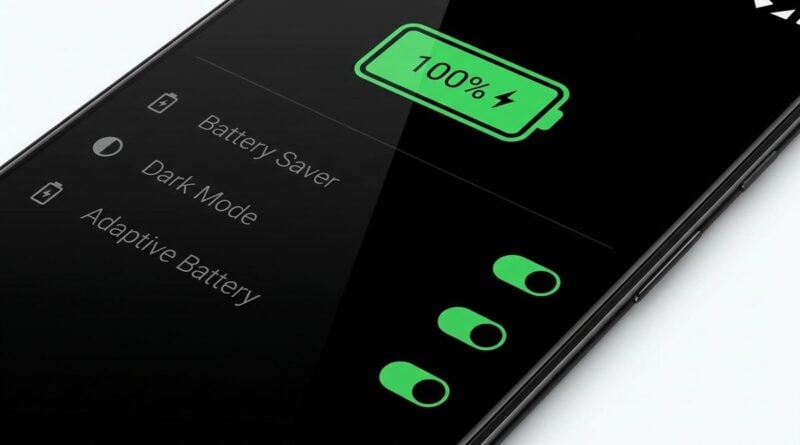
You can also adjust several device settings to extend battery longevity between charges. Reducing screen brightness to a comfortable middle level, disabling automated cloud backups while on mobile networks, and switching off unnecessary background app refreshes keeps your battery level stable. Reviewing this quick pre-departure checklist helps ensure your electronics are completely prepared before departure:
- Charge your portable power bank fully and verify that the cable connector matches your phone.
- Download offline map coverage for your departure area, travel corridor, and planned destination.
- Save digital copies of lodging reservations and travel details in a dedicated offline folder.
- Create a single travel-focused home screen containing only navigation, transit, and communication tools.
- Silence non-essential app notifications to preserve battery life and minimize driving distractions.
Establishing an Evening Device Reset on the Road
At the end of a long travel day, the temptation is often to set bags down and ignore technology until morning. However, spending a few quiet minutes on an evening reset routine prevents rushed mornings and avoidable delays. Connecting your phone, tablet, and external battery pack to wall outlets immediately upon arrival ensures you wake up to full charge across all essential gear.
Use this brief evening window to clear out temporary browser tabs, review the weather forecast for tomorrow, and verify your departure schedule. If your itinerary involves new stops or altered routes, download the corresponding map data while connected to reliable lodging Wi-Fi. Taking care of these small tasks before resting provides peace of mind and allows your next morning to start smoothly.
Traveling with personal technology does not need to feel complicated or chaotic. By setting up offline maps, streamlining phone layouts, organizing local records, and maintaining reliable charging routines, your devices remain what they were always meant to be: helpful tools that make every journey simpler and far more enjoyable.